Real-Time Display
Live schedule, match progress, and announcements on every screen in the venue
The Problem
At multi-tatami tournaments, competitors miss their calls. Spectators have no idea what's happening. Coaches scramble between areas trying to track delays. Paper schedules are outdated the moment a category runs long.
The Solution
Sportviz Real-Time Display pulls live data from your competition management system and projects it onto any screen in the venue - TVs, projectors, monitors. No proprietary hardware required. Just open a browser and go full-screen.
Key Capabilities
Plug and Play
Connect any browser-capable device to a screen. Navigate to the display URL with your event parameters. Go full-screen. No software to install, no drivers, no per-screen licenses.
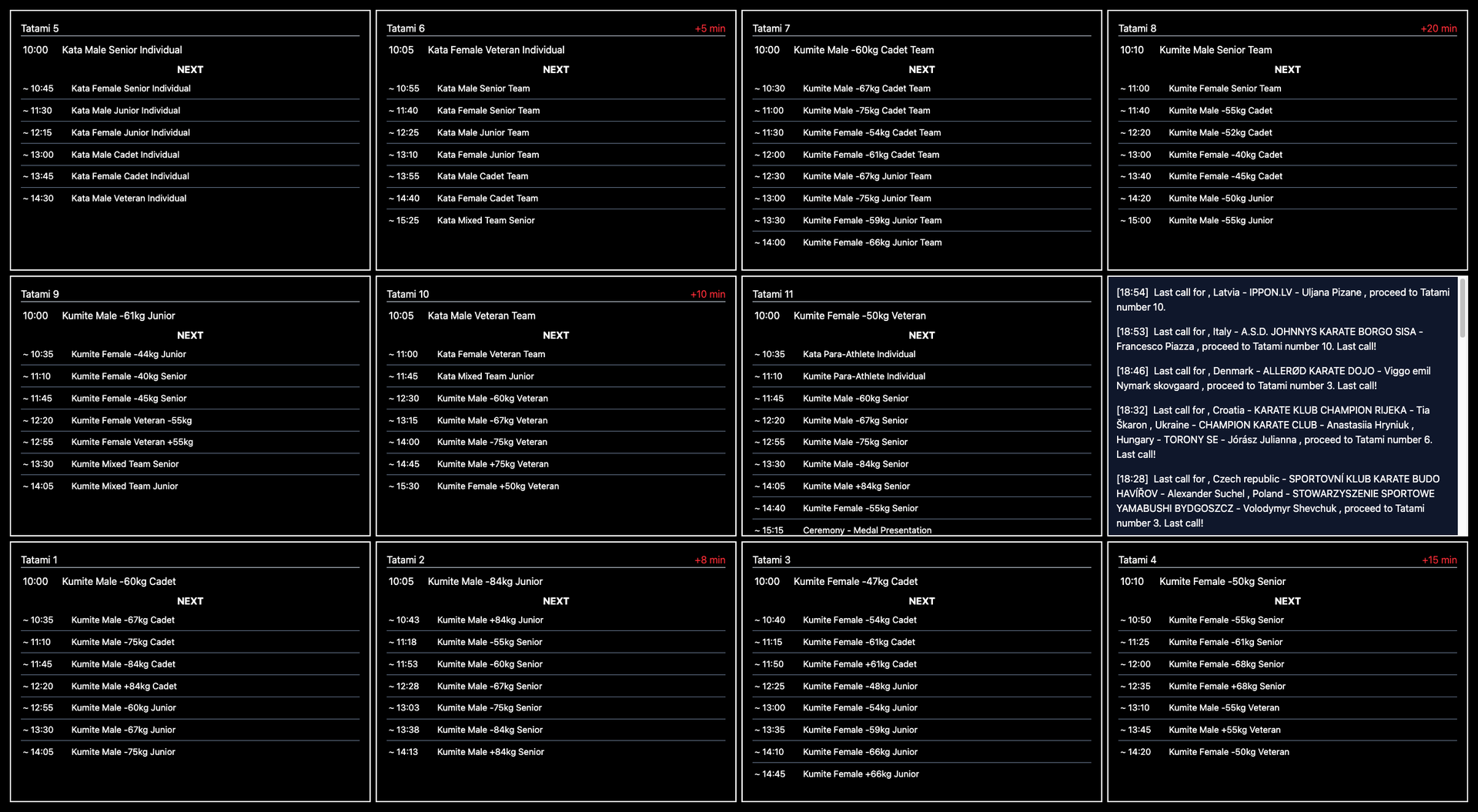
Live Timetable Grid
Configurable multi-tatami grid layout (2×2, 3×3, or any custom arrangement). Each tatami shows the current category, upcoming categories, and estimated times. Delay indicators update automatically - minutes ahead or behind schedule, color-coded for instant readability.
Activity Monitor
Real-time match view showing the current bout on each tatami. Competitor names, country flags, belt colors (aka/ao), and live scores. Next match preview so competitors can prepare in advance.
Announcement Ticker
Integrates with your announcer system to display scrolling text announcements. Timestamped entries keep the audience informed even in noisy venues. Positionable anywhere in the grid layout alongside tatami displays.
Flexible Configuration
Layout defined via URL query parameters - no admin panel needed to set up a new screen. Light and dark themes for different venue lighting conditions. Adjustable scale factor to match screen size and viewing distance.
Reliable Data
5-second polling keeps displays current without overwhelming the data source. Server-side caching with automatic fallback - if the source is temporarily unreachable, the last known state continues to display. Network hiccups never produce a blank screen.
How It Works
Any computer with a browser - laptop, mini PC, Raspberry Pi, or smart TV
Open the URL with your event parameters
That's it - the display updates automatically every 5 seconds
Paper Schedule vs. Real-Time Display
Open a URL. Full screen. Always current.
Do you have questions or are you interested in Sportviz Toolkit?
See it in action and book a demo with us